
System design interviews · Til candidates
An AI system design interview assistant for when your mind goes blank.
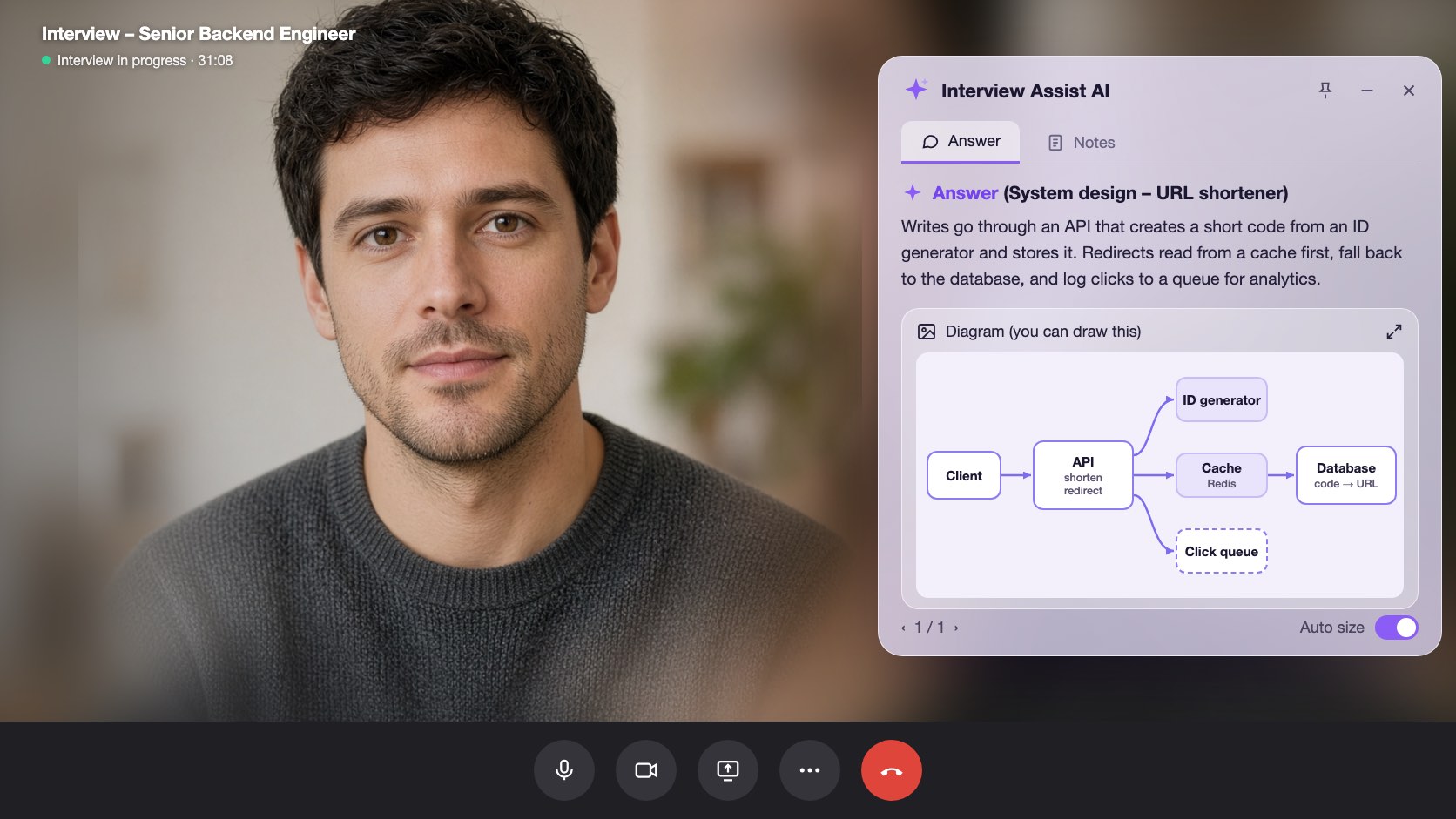
Pick Technical interview before the call. InterviewAssist keeps the challenge in view, suggests the clarifying questions to ask first, writes the design with the data flow step by step, and draws the architecture so you can sketch it yourself.
- Gratis at komme i gang
- Intet kreditkort kræves
- Kører i din browser · Mac- og Windows-apps
Offers landed
Our users receive offers from the following companies

Spørgsmål om Starts with
When you get the challenge, What to say next lists the clarifying questions to ask and the assumptions to design for.
The flow, step by step
Every design answer includes the data flow: which endpoint is called, which record changes, and what the client does next.
A diagram til copy
Generate diagram draws the high-level architecture. Zoom in, then sketch it in Excalidraw, Miro, or on the whiteboard.
Funktioner
Det kan system design interviews
Alle funktionerne herunder er med i alle planer og bruger det samme CV, jobopslag og de samme fortællinger, som du allerede har tilføjet.
01
Clarifying questions first
Scale, file sizes, latency, and consistency: the questions that set up the design, plus an Assuming line you can say out loud when the interviewer leaves it to you.
Clarify requirements
Hvad du kan sige nuSpørg
Do listeners need it right away?
Assuming
Files up to 200 MB, about 1M uploads a day
02
A design answer in a fixed shape
Clarify requirements, high-level design, data flow, core components, scaling and reliability, trade-offs, and likely follow-ups, always in that order so you know where to look.
Data flow
Step by step1
POST /uploads: record created (status: pending)
2
Client PUTs the file to object storage
3
POST /uploads/{id}/complete: job queued
03
Generate diagram
One click draws the architecture of the system being discussed, from the challenge, your screen scans, or the conversation. Zoom in and out to read it.
Generate diagram
Zoom 100%Boxes
Client, API, Upload DB, Object storage, Queue, Worker
Use it
Copy it onto the whiteboard in your own words
Også inkluderet
The challenge stays in view
Paste the challenge, or let the copilot hear it on the call. It stays in context for every answer, even an hour into the round.
Scan screen memory
Scan a prompt from a shared doc or whiteboard. The text is kept for later answers, so the copilot still knows the challenge after the conversation moves on.
Hvad du kan sige nu
Stuck mid-design? Get the next step to explain or the next question to ask, based on what was just discussed.
Prøv system design interviews i browseren
En interaktiv forhåndsvisning med eksempeldata. Intet af det, du klikker på her, bliver gemt.
 InterviewAssist · System design roundLytter24:17Minivisning


Transskription
Challenge
Design a service where users upload audio files.
Heard on the call. You can also paste it or scan it from the screen. Every answer and What to say next see it.
1 / 4 · Technical interview: the challenge
Pick Technical interview before you start. The copilot keeps the challenge in view, whether you heard it on the call, pasted it, or scanned it from the screen.
Sådan fungerer det
Sådan bruger du system design interviews
- 1
Choose Technical interview
On the interview page, set Interview type to Technical interview before you start.
- 2
Add the challenge
Paste it, scan it from the screen, or let the interviewer read it out.
- 3
Ask, then design
Open What to say next for the clarifying questions, then press Space for the design answer.
- 4
Draw it
Click Generate diagram and copy the architecture onto the whiteboard.
Bygget til de øjeblikke, der betyder noget
- File upload and storage services
- URL shorteners
- Chat and notification systems
- News feeds and timelines
- Payment and order flows
- Rate limiters and caches
System design interviews: InterviewAssist sammenlignet
Se, hvordan den klarer sig mod de værktøjer, folk typisk prøver først.
| Funktion | InterviewAssist | Generel AI-chatbot | Forberedelsesapp kun til øvelse |
|---|---|---|---|
| Hears the challenge on the call | |||
| Clarifying questions before the design | Hvis du beder om det | Nogle gange | |
| Architecture diagram during the round | Hvis du beder om det |
FAQ
Spørgsmål om System design interviews
Har du stadig et spørgsmål? Kontakt os
Can AI help in a system design interview?
Yes. InterviewAssist listens to the round and, in Technical interview mode, gives you clarifying questions, a design answer with the data flow step by step, and an architecture diagram. You still explain the design in your own words.
How does it know what system I am designing?
From the challenge you paste, from screen scans, or from the call itself. If nothing names a system yet, Generate diagram says there is not enough to draw.
Does it draw system design diagrams?
Yes. Generate diagram draws one high-level architecture diagram you can zoom in on. It is a reference for sketching in your own tool, such as Excalidraw, Miro, or a whiteboard.
Which system design questions does it handle?
Any prompt the interviewer gives, such as an upload service, a URL shortener, chat, a news feed, payments, or a rate limiter. Answers follow the same sections every time.
How is this different from the coding interview copilot?
Coding rounds get the approach, complexity, and code. Technical interview mode is built for design rounds: requirements, data flow, components, trade-offs, and a diagram.
Does it work in the desktop app?
Yes. The Interview type picker is on the interview page in the web app and in the Mac and Windows apps.
Relaterede funktioner
Kandidater
Kodningssamtaler
Få tilgang, kompleksitet og fungerende kode til kodningsspørgsmål i realtid – fra opkaldet eller din skærm. Også til systemdesign-samtaler.
Læs mereKandidater
Live Copilot
Få et stærkt svar på hvert spørgsmål i jobsamtalen i realtid – plus live-coachingtips undervejs. Virker med Zoom, Meet, Teams og telefonopkald.
Læs mereKandidater
Prøvesamtaler
Øv dig med en AI-interviewer bygget til det job, du går efter. Sig dine svar højt, få score på hvert svar, og se præcis, hvad du skal forbedre.
Læs mereAlle
Webapp
Kører i Chrome eller Edge uden installation. Del fanen med dit opkald, eller brug mikrofonen, og få svar i realtid. Også til Mac og Windows.
Læs mereGå velforberedt ind til din næste jobsamtale.
Tilføj dit CV og jobopslaget, kør en prøvesamtale, og hav Live Copilot ved siden af opkaldet. Opsætningen tager cirka fem minutter.
Gratis at komme i gang · Intet kreditkort kræves