
candidates向け · System design interviews
An AI system design interview assistant for when your mind goes blank.
Pick Technical interview before the call. InterviewAssist keeps the challenge in view, suggests the clarifying questions to ask first, writes the design with the data flow step by step, and draws the architecture so you can sketch it yourself.
- 無料で開始可
- クレジットカード不要
- ブラウザで動作 · Mac・Windowsアプリ
Offers landed
Our users receive offers from the following companies

Starts withに関するよくある質問
When you get the challenge, What to say next lists the clarifying questions to ask and the assumptions to design for.
The flow, step by step
Every design answer includes the data flow: which endpoint is called, which record changes, and what the client does next.
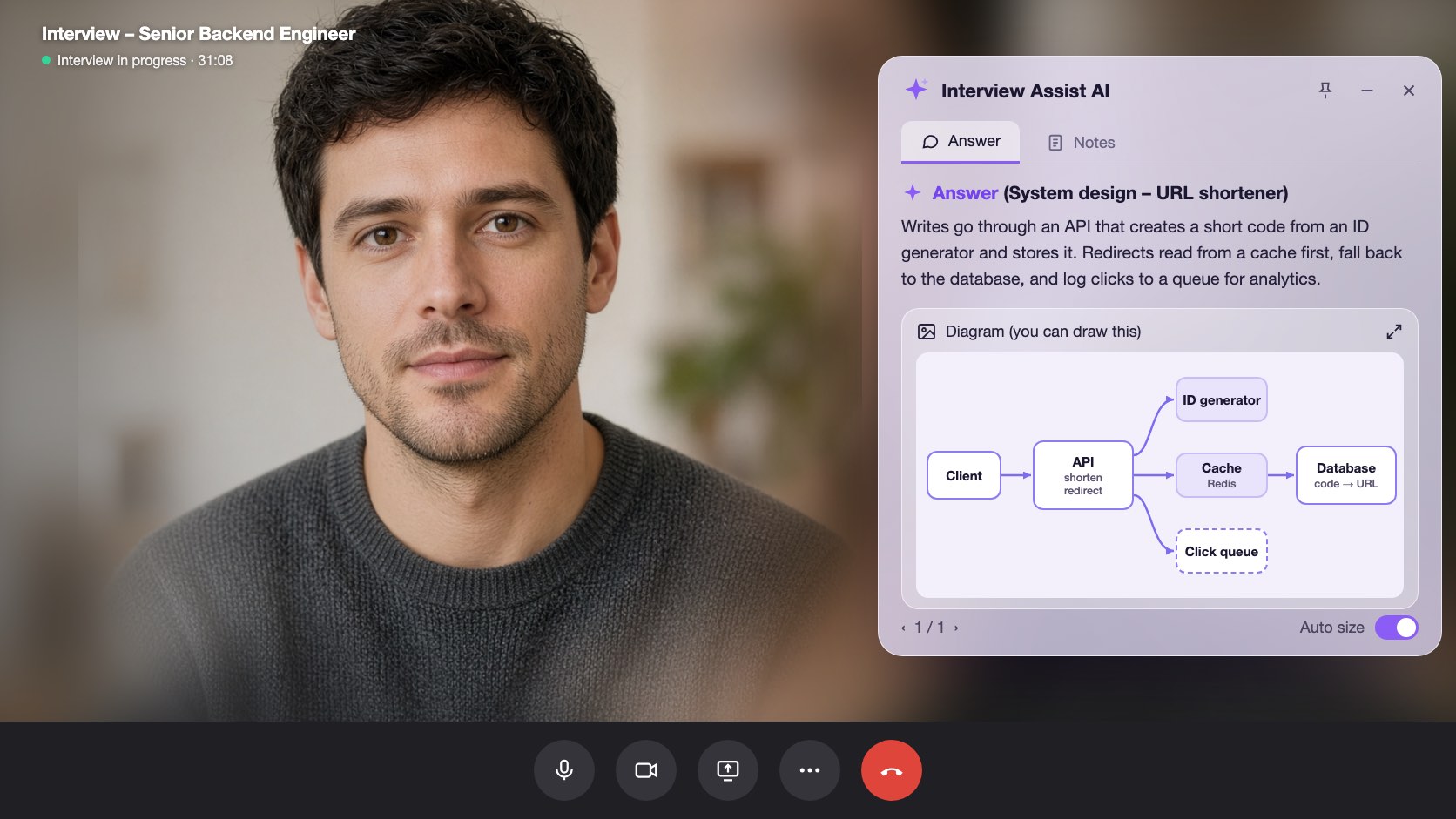
A diagram〜copy
Generate diagram draws the high-level architecture. Zoom in, then sketch it in Excalidraw, Miro, or on the whiteboard.
機能
system design interviewsでできること
以下の機能はすべてのプランに含まれており、登録済みの履歴書・職務経歴書、求人票、エピソードをそのまま使えます。
01
Clarifying questions first
Scale, file sizes, latency, and consistency: the questions that set up the design, plus an Assuming line you can say out loud when the interviewer leaves it to you.
Clarify requirements
次に話すこと質問
Do listeners need it right away?
Assuming
Files up to 200 MB, about 1M uploads a day
02
A design answer in a fixed shape
Clarify requirements, high-level design, data flow, core components, scaling and reliability, trade-offs, and likely follow-ups, always in that order so you know where to look.
Data flow
Step by step1
POST /uploads: record created (status: pending)
2
Client PUTs the file to object storage
3
POST /uploads/{id}/complete: job queued
03
Generate diagram
One click draws the architecture of the system being discussed, from the challenge, your screen scans, or the conversation. Zoom in and out to read it.
Generate diagram
Zoom 100%Boxes
Client, API, Upload DB, Object storage, Queue, Worker
Use it
Copy it onto the whiteboard in your own words
含まれる機能
The challenge stays in view
Paste the challenge, or let the copilot hear it on the call. It stays in context for every answer, even an hour into the round.
Scan screen memory
Scan a prompt from a shared doc or whiteboard. The text is kept for later answers, so the copilot still knows the challenge after the conversation moves on.
次に話すこと
Stuck mid-design? Get the next step to explain or the next question to ask, based on what was just discussed.
ブラウザでsystem design interviewsを試す
サンプルデータを使ったインタラクティブなプレビューです。ここでクリックした内容は保存されません。
 InterviewAssist · System design roundリスニング中24:17ミニ表示


文字起こし
Challenge
Design a service where users upload audio files.
Heard on the call. You can also paste it or scan it from the screen. Every answer and What to say next see it.
1 / 4 · Technical interview: the challenge
Pick Technical interview before you start. The copilot keeps the challenge in view, whether you heard it on the call, pasted it, or scanned it from the screen.
使い方
system design interviewsの使い方
- 1
Choose Technical interview
On the interview page, set Interview type to Technical interview before you start.
- 2
Add the challenge
Paste it, scan it from the screen, or let the interviewer read it out.
- 3
Ask, then design
Open What to say next for the clarifying questions, then press Space for the design answer.
- 4
Draw it
Click Generate diagram and copy the architecture onto the whiteboard.
大事な場面で力を発揮
- File upload and storage services
- URL shorteners
- Chat and notification systems
- News feeds and timelines
- Payment and order flows
- Rate limiters and caches
System design interviews:InterviewAssistとの比較
まず試されがちなツールと比べて、どこが違うのかを確認できます。
| 機能 | InterviewAssist | 汎用AIチャットボット | 練習特化の面接対策アプリ |
|---|---|---|---|
| Hears the challenge on the call | |||
| Clarifying questions before the design | 指示すれば可 | 一部対応 | |
| Architecture diagram during the round | 指示すれば可 |
FAQ
System design interviewsに関するよくある質問
ほかにご質問がありますか? お問い合わせ
Can AI help in a system design interview?
Yes. InterviewAssist listens to the round and, in Technical interview mode, gives you clarifying questions, a design answer with the data flow step by step, and an architecture diagram. You still explain the design in your own words.
How does it know what system I am designing?
From the challenge you paste, from screen scans, or from the call itself. If nothing names a system yet, Generate diagram says there is not enough to draw.
Does it draw system design diagrams?
Yes. Generate diagram draws one high-level architecture diagram you can zoom in on. It is a reference for sketching in your own tool, such as Excalidraw, Miro, or a whiteboard.
Which system design questions does it handle?
Any prompt the interviewer gives, such as an upload service, a URL shortener, chat, a news feed, payments, or a rate limiter. Answers follow the same sections every time.
How is this different from the coding interview copilot?
Coding rounds get the approach, complexity, and code. Technical interview mode is built for design rounds: requirements, data flow, components, trade-offs, and a diagram.
Does it work in the desktop app?
Yes. The Interview type picker is on the interview page in the web app and in the Mac and Windows apps.
関連機能
候補者
コーディング面接
コーディング質問の方針、計算量、動くコードを通話や画面からリアルタイムに提示。システム設計面接にも対応します。
続きを読む候補者
ライブコパイロット
面接中のあらゆる質問に、その場で使える回答とコーチングのヒントをリアルタイム表示。Zoom、Meet、Teams、電話面接に対応。
続きを読む候補者
模擬面接
志望ポジションに合わせたAI面接官と練習。声で回答し、回答ごとの評価と改善点を確認できます。
続きを読むすべての方
Webアプリ
インストール不要でChromeやEdge上で動作。通話タブ共有またはマイクで、面接回答をリアルタイムに表示。MacとWindowsにも対応。
続きを読む次の面接に、自信を持って臨む。
履歴書・職務経歴書と求人票を追加し、模擬面接を実施。ライブコパイロットを面接の横に置いておけます。設定は約5分で完了します。
無料で開始 · クレジットカード不要