
System design interviews · Voor candidates
An AI system design interview assistant for when your mind goes blank.
Pick Technical interview before the call. InterviewAssist keeps the challenge in view, suggests the clarifying questions to ask first, writes the design with the data flow step by step, and draws the architecture so you can sketch it yourself.
- Gratis starten
- Geen creditcard nodig
- Werkt in je browser · Mac- en Windows-apps
Offers landed
Our users receive offers from the following companies

Vragen over Starts with
When you get the challenge, What to say next lists the clarifying questions to ask and the assumptions to design for.
The flow, step by step
Every design answer includes the data flow: which endpoint is called, which record changes, and what the client does next.
A diagram tot copy
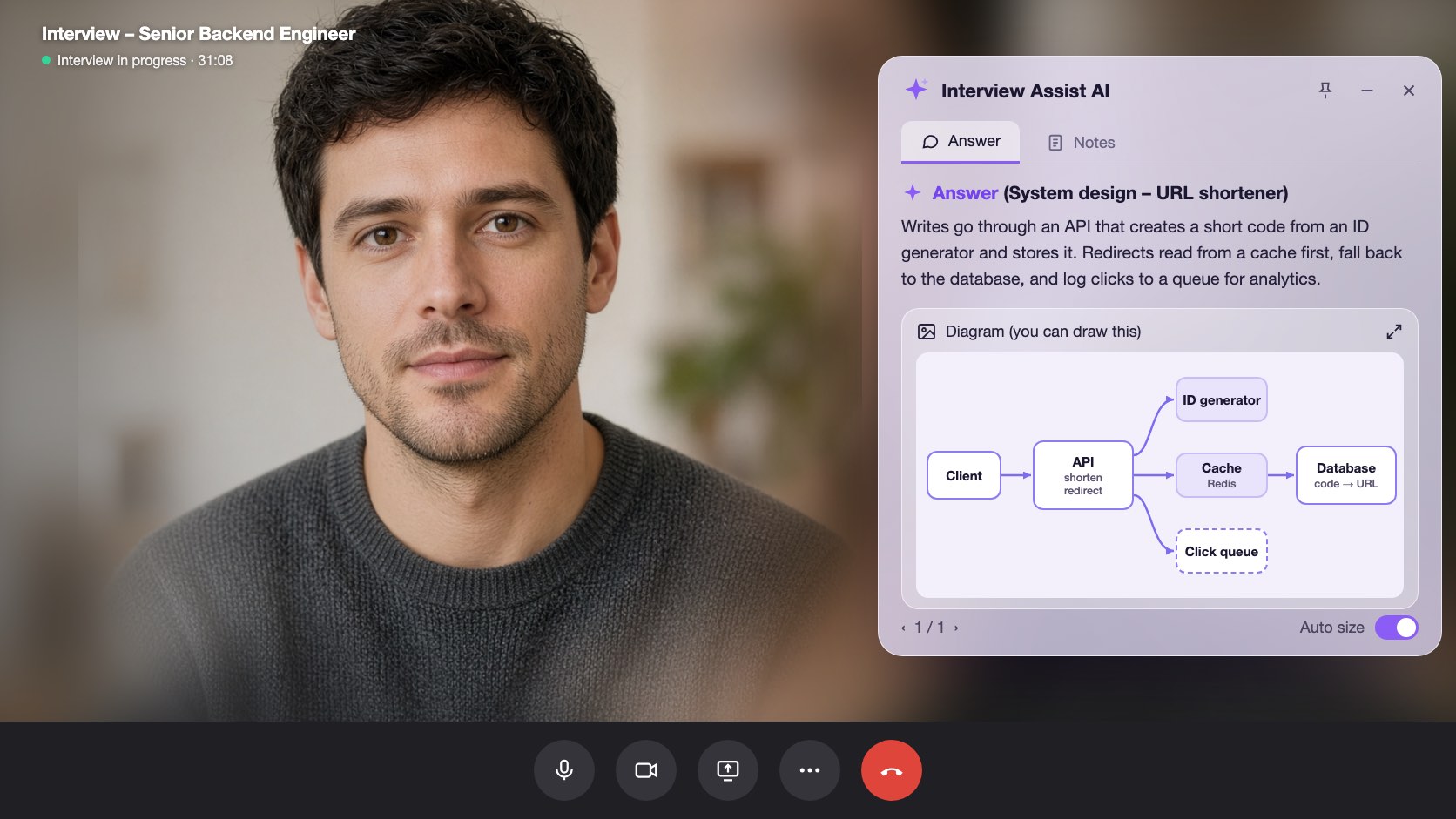
Generate diagram draws the high-level architecture. Zoom in, then sketch it in Excalidraw, Miro, or on the whiteboard.
Mogelijkheden
Wat system design interviews doet
Alle functies hieronder zitten in elk abonnement en werken met hetzelfde cv, dezelfde vacaturetekst en dezelfde verhalen die je al hebt toegevoegd.
01
Clarifying questions first
Scale, file sizes, latency, and consistency: the questions that set up the design, plus an Assuming line you can say out loud when the interviewer leaves it to you.
Clarify requirements
Wat zeg je nuVraag
Do listeners need it right away?
Assuming
Files up to 200 MB, about 1M uploads a day
02
A design answer in a fixed shape
Clarify requirements, high-level design, data flow, core components, scaling and reliability, trade-offs, and likely follow-ups, always in that order so you know where to look.
Data flow
Step by step1
POST /uploads: record created (status: pending)
2
Client PUTs the file to object storage
3
POST /uploads/{id}/complete: job queued
03
Generate diagram
One click draws the architecture of the system being discussed, from the challenge, your screen scans, or the conversation. Zoom in and out to read it.
Generate diagram
Zoom 100%Boxes
Client, API, Upload DB, Object storage, Queue, Worker
Use it
Copy it onto the whiteboard in your own words
Ook inbegrepen
The challenge stays in view
Paste the challenge, or let the copilot hear it on the call. It stays in context for every answer, even an hour into the round.
Scan screen memory
Scan a prompt from a shared doc or whiteboard. The text is kept for later answers, so the copilot still knows the challenge after the conversation moves on.
Wat zeg je nu
Stuck mid-design? Get the next step to explain or the next question to ask, based on what was just discussed.
Probeer system design interviews in je browser
Een interactieve preview met voorbeelddata. Niets waarop je hier klikt, wordt opgeslagen.
 InterviewAssist · System design roundLuistert mee24:17Miniweergave


Transcript
Challenge
Design a service where users upload audio files.
Heard on the call. You can also paste it or scan it from the screen. Every answer and What to say next see it.
1 / 4 · Technical interview: the challenge
Pick Technical interview before you start. The copilot keeps the challenge in view, whether you heard it on the call, pasted it, or scanned it from the screen.
Zo werkt het
Zo gebruik je system design interviews
- 1
Choose Technical interview
On the interview page, set Interview type to Technical interview before you start.
- 2
Add the challenge
Paste it, scan it from the screen, or let the interviewer read it out.
- 3
Ask, then design
Open What to say next for the clarifying questions, then press Space for the design answer.
- 4
Draw it
Click Generate diagram and copy the architecture onto the whiteboard.
Gemaakt voor de momenten waarop het telt
- File upload and storage services
- URL shorteners
- Chat and notification systems
- News feeds and timelines
- Payment and order flows
- Rate limiters and caches
System design interviews: InterviewAssist vergeleken
Hoe dit zich verhoudt tot de tools die mensen meestal eerst proberen.
| Functie | InterviewAssist | Algemene AI-chatbot | App alleen om mee te oefenen |
|---|---|---|---|
| Hears the challenge on the call | |||
| Clarifying questions before the design | Als je erom vraagt | Soms | |
| Architecture diagram during the round | Als je erom vraagt |
FAQ
Vragen over System design interviews
Heb je nog een vraag? Neem contact op
Can AI help in a system design interview?
Yes. InterviewAssist listens to the round and, in Technical interview mode, gives you clarifying questions, a design answer with the data flow step by step, and an architecture diagram. You still explain the design in your own words.
How does it know what system I am designing?
From the challenge you paste, from screen scans, or from the call itself. If nothing names a system yet, Generate diagram says there is not enough to draw.
Does it draw system design diagrams?
Yes. Generate diagram draws one high-level architecture diagram you can zoom in on. It is a reference for sketching in your own tool, such as Excalidraw, Miro, or a whiteboard.
Which system design questions does it handle?
Any prompt the interviewer gives, such as an upload service, a URL shortener, chat, a news feed, payments, or a rate limiter. Answers follow the same sections every time.
How is this different from the coding interview copilot?
Coding rounds get the approach, complexity, and code. Technical interview mode is built for design rounds: requirements, data flow, components, trade-offs, and a diagram.
Does it work in the desktop app?
Yes. The Interview type picker is on the interview page in the web app and in the Mac and Windows apps.
Gerelateerde functies
Kandidaten
Codeerinterviews
Krijg realtime de aanpak, complexiteit en werkende code voor codeervragen, vanuit het gesprek of je scherm. Ook voor system design-gesprekken.
Meer lezenKandidaten
Live Copilot
Krijg realtime een sterk antwoord op elke sollicitatievraag, plus live coachingtips tijdens het gesprek. Werkt met Zoom, Google Meet, Microsoft Teams en telefoongesprekken.
Meer lezenKandidaten
Oefengesprekken
Oefen met een AI-interviewer die is afgestemd op de baan die je wilt. Spreek je antwoorden in, krijg per antwoord een score en zie precies wat je kunt verbeteren.
Meer lezenIedereen
Webapp
Werkt in Chrome of Edge, zonder installatie. Deel je gesprekstab of gebruik je microfoon en krijg realtime sollicitatieantwoorden. Ook op Mac en Windows.
Meer lezenGa goed voorbereid je volgende sollicitatiegesprek in.
Voeg je cv en de vacaturetekst toe, doe een oefengesprek en houd de Live Copilot naast je gesprek. Instellen duurt ongeveer vijf minuten.
Gratis starten · Geen creditcard nodig